Download Shaders for Minecraft PE Latest Version and transform the visual experience of Minecraft Bedrock Edition on Android with advanced lighting, realistic water, dynamic shadows, and immersive atmospheric effects. Shaders go beyond ordinary Texture Packs by changing how light interacts with the world, making landscapes, buildings, and biomes feel deeper and more cinematic.
Download Shaders for Minecraft Bedrock
| Vibrant Visuals | |
| Lunac Shaders | |
| Ultra Shaders | |
| Golden Visuals | |
| Prizma Visuals 2.0 |
Shaders completely change how Minecraft looks and feels. Instead of flat lighting and static environments, players get volumetric sunlight, moving shadows, brighter skies, and water that reflects the world around it, which pairs naturally with Textures for Minecraft Pocket Edition for a fully enhanced visual experience.
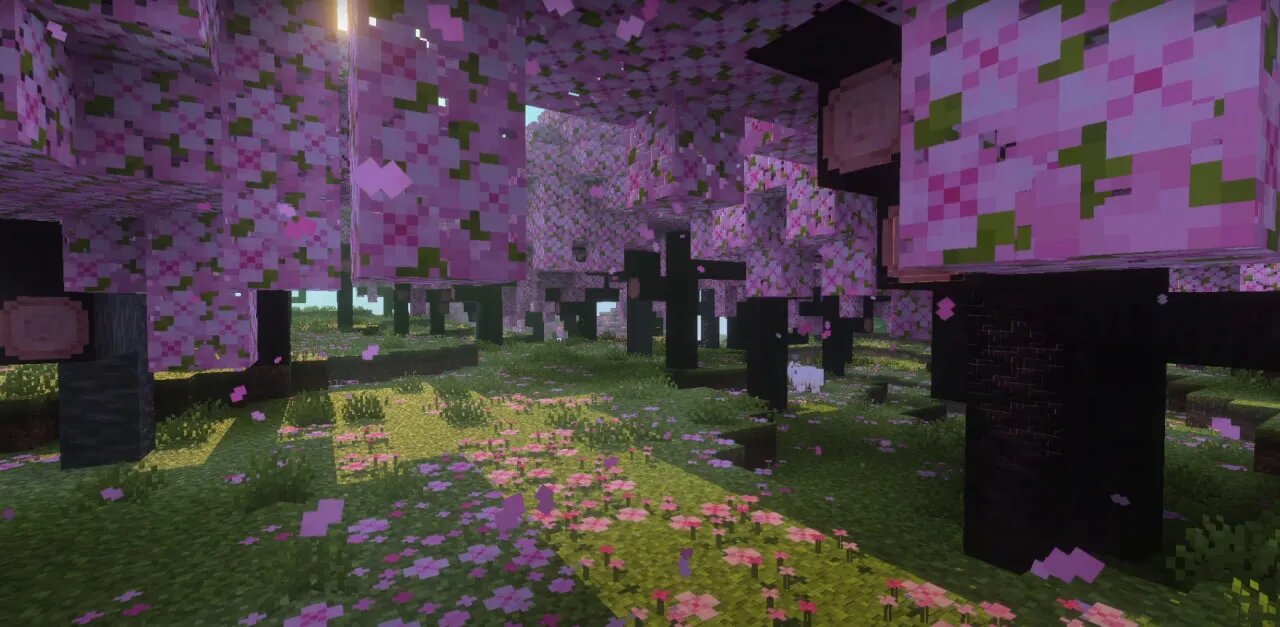
Vibrant Visuals
Vibrant Visuals is one of the most popular shader options for Minecraft Bedrock Edition on mobile. Players who download shaders for Minecraft PE Latest Version often choose this pack because it delivers advanced lighting and water effects while still maintaining stable performance on many Android devices.
Realistic Water Rendering
One of the strongest features of Vibrant Visuals is how it changes water. Instead of a flat and static surface, rivers, lakes, and oceans become more dynamic. Reflections appear more natural, and light interacts with the surface in a way that makes aquatic areas feel much more alive.
- Reflective water surfaces with improved depth
- Dynamic wave movement and surface highlights
- Better underwater visibility in many environments
- More cinematic look during sunrise and sunset
This makes travel across water more visually interesting, especially in large open biomes where reflections and lighting become a major part of the scene.
Lighting and Shadow System
Vibrant Visuals also improves sunlight, shade, and general world contrast. Forests feel denser, buildings appear more detailed, and landscapes gain depth simply because light behaves in a more believable way. Instead of the default flat illumination, shadows help define the shape of structures and terrain.
This is especially noticeable during morning and evening hours, when the angle of light changes the mood of the entire world. Even familiar areas can look completely different under these conditions.
Atmosphere Through the Day Cycle
The shader pack changes how players experience daytime, sunset, and night. Bright daylight looks cleaner and more vivid, sunsets become warmer and softer, and nighttime environments gain stronger contrast. This improves immersion because time of day no longer feels like a simple brightness shift.
For players who enjoy long survival sessions, this visual variation helps the world feel more alive. It also adds value to exploration, since different biomes can feel dramatically different depending on the hour.
Practical Performance Balance
Although Vibrant Visuals looks advanced, it is still designed for Bedrock Edition on mobile. It offers a useful compromise between better graphics and playable performance, which is why it is often chosen as an entry point for players new to shaders.
Instead of trying to imitate ultra-heavy PC visual systems, it focuses on noticeable improvements that remain practical for Android gameplay.
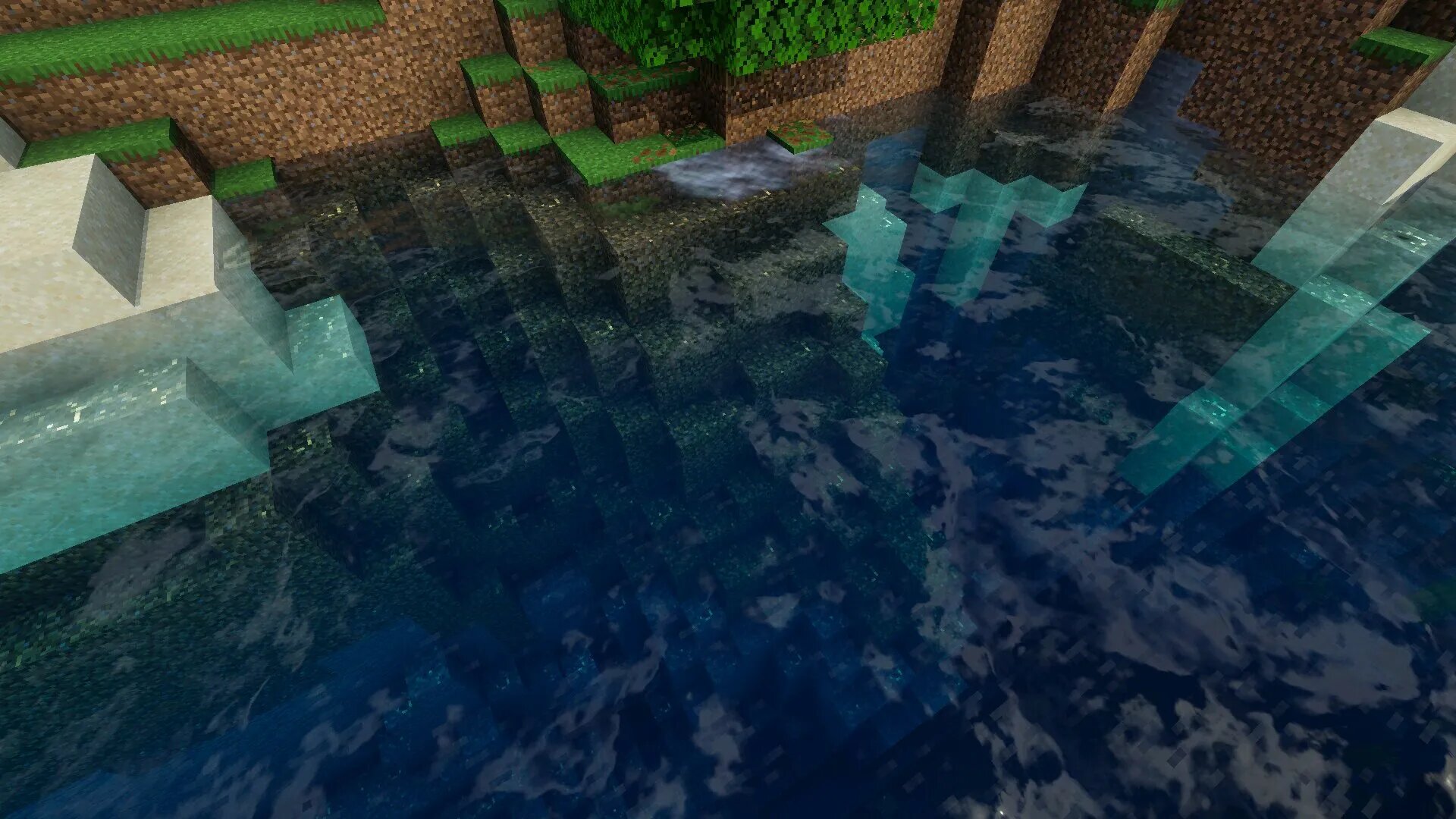
Lunac Shaders
Lunac Shaders is designed for players who want a more cinematic presentation. It focuses on volumetric lighting, dynamic sky rendering, and more expressive environmental effects. Players who download shaders for Minecraft PE Latest Version often choose Lunac when they want a world that feels more dramatic without losing the recognizable Minecraft style.
Volumetric Light Effects
The most striking part of Lunac Shaders is how light appears in the world. Instead of simple brightness, light feels directional and atmospheric. Sun rays become more visible, and bright areas create a stronger visual separation from darker ones.
This effect is especially impressive in forests, mountain regions, and open landscapes where sunlight can define the whole composition of the environment.
Sky and Weather Presentation
Lunac also improves the sky in a way that makes weather transitions and time-of-day changes much more noticeable. Clouds feel more expressive, and the world takes on a different tone depending on whether the sky is bright, cloudy, or approaching night.
Because of this, players often feel that travel and exploration become more immersive. The environment is not just a background anymore — it becomes part of the visual storytelling.
Water and Environmental Depth
Water rendering is another major strength of Lunac Shaders. Surfaces appear smoother and more reflective, while underwater areas gain more clarity and atmosphere. This is particularly useful in oceans and rivers, where the shader helps separate depth levels more clearly.
It also improves the visual identity of different biomes, since reflections and lighting conditions vary depending on the environment. Deserts, plains, forests, and coastlines all feel more visually distinct.
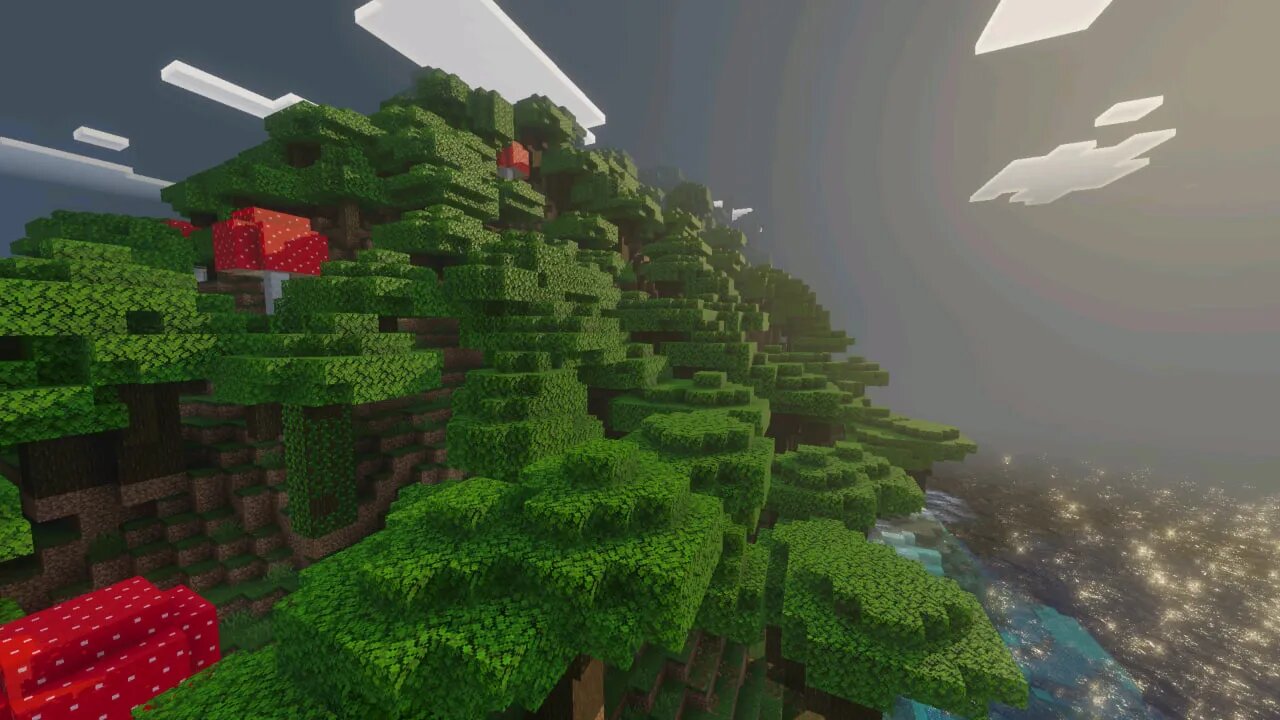
Ultra Shaders
Ultra Shaders is a more balanced option for players who want stronger visuals without pushing their device too hard. Players who download shaders for Minecraft PE Latest Version often use this pack as a middle ground between realism and stable performance.
Balanced Lighting Upgrade
Ultra Shaders improves light spread, shadow softness, and overall color depth. The result is a world that looks more modern and atmospheric, but still remains clear and playable on mobile devices.
Instead of relying on extreme effects, it focuses on practical improvements that are noticeable in everyday gameplay. This makes it useful for survival worlds, creative building, and multiplayer sessions where stability still matters.
Natural Color and Shadow Depth
The shader increases environmental contrast and improves the transition between bright and dark areas. This gives structures and terrain more dimension, helping even simple builds appear richer and more polished.
For many players, this is enough to refresh the entire visual experience without needing a more demanding shader pack.
Everyday Use on Android
Ultra Shaders is especially suitable for players who want to keep the game visually improved all the time, not just for screenshots or short sessions. It feels more practical for daily play because it does not sacrifice usability for visual intensity.
That makes it one of the safer choices for users who want an upgraded look but still prioritize stable mobile gameplay.
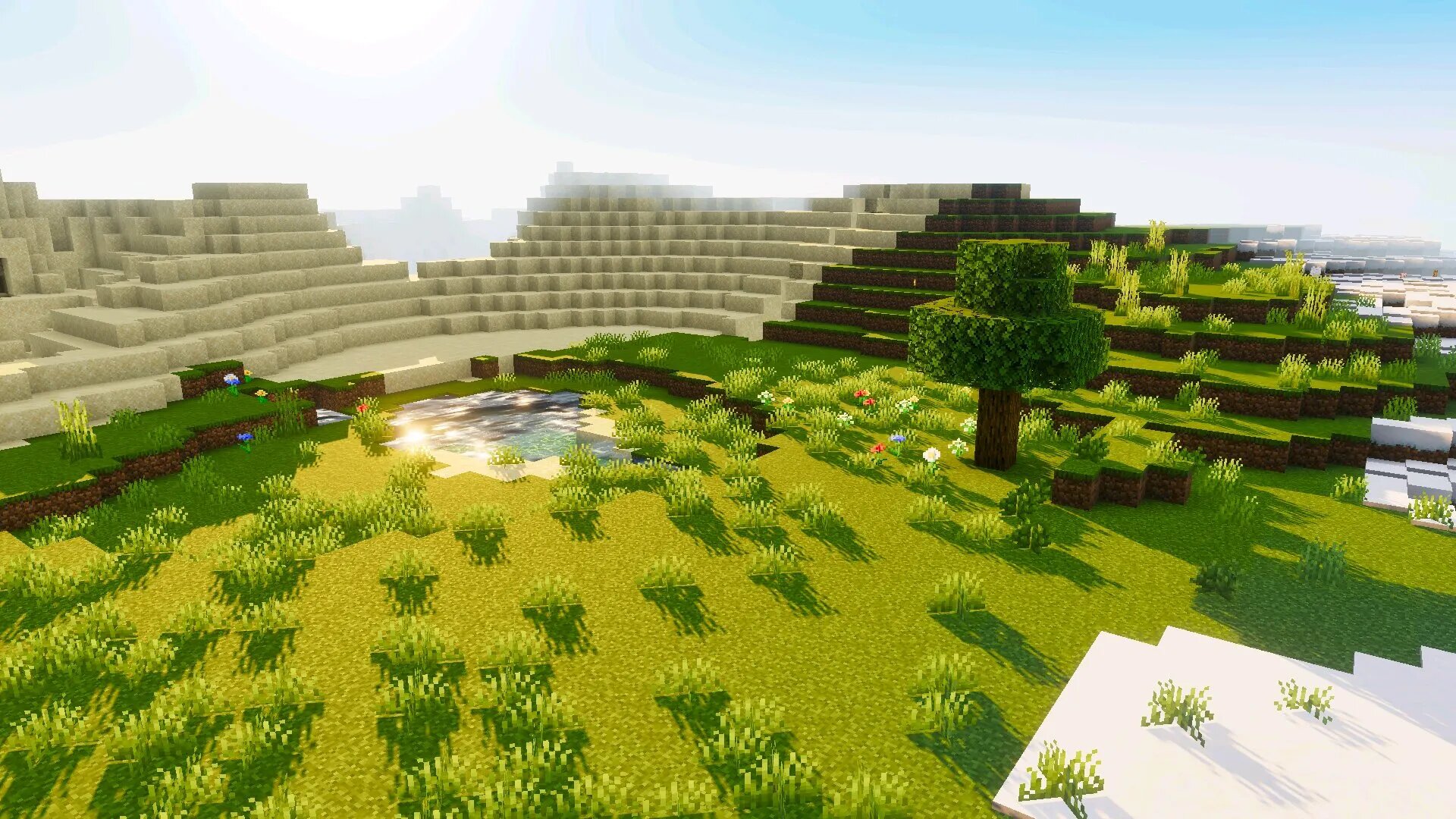
Golden Visuals
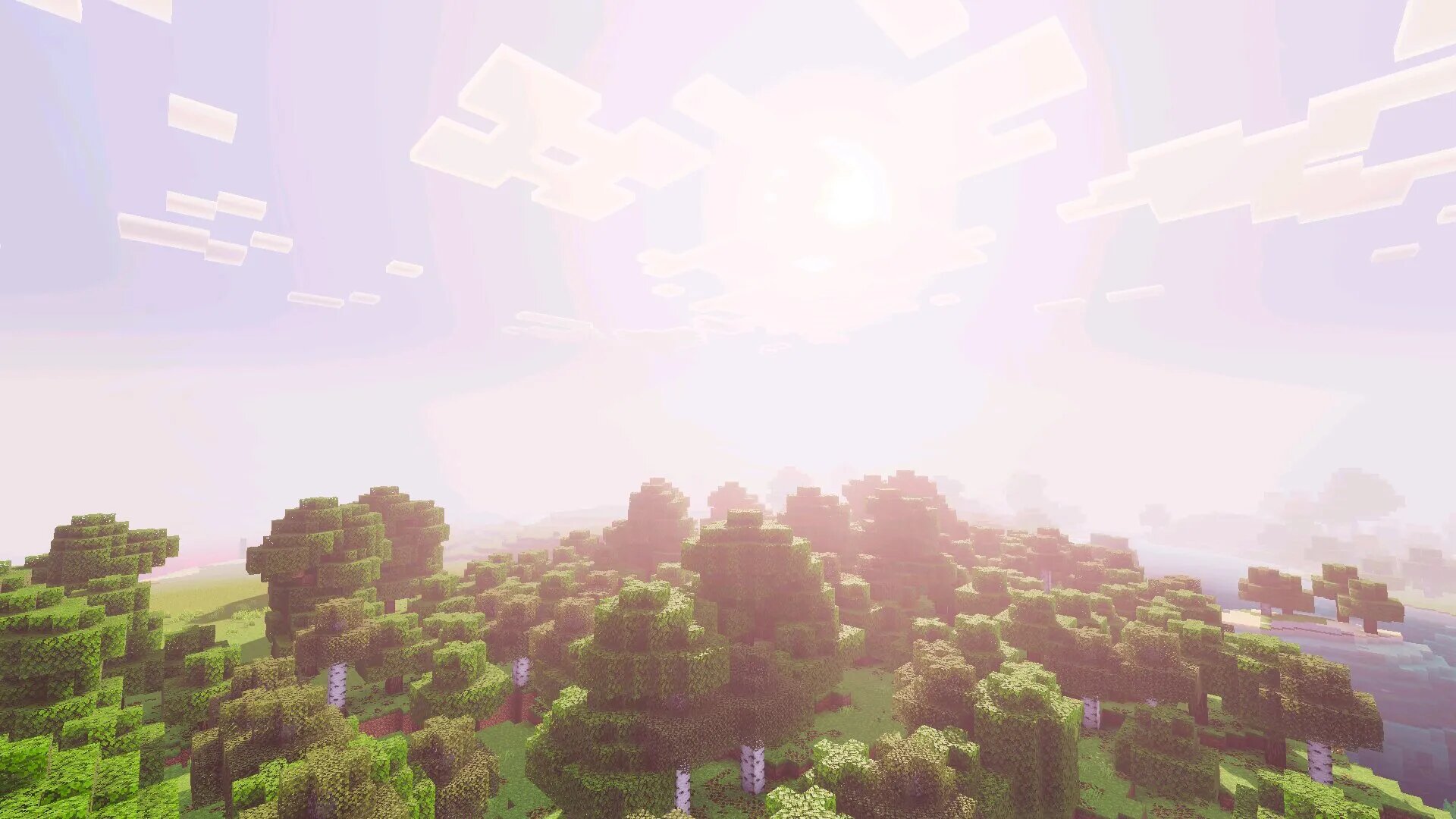
Golden Visuals is a shader pack built around warm lighting, soft reflections, and a calmer overall atmosphere. Players who download shaders for Minecraft PE Latest Version often choose this option when they want the world to feel more cozy and visually comfortable instead of aggressively realistic. The main goal of this pack is not to make Minecraft look harsh or cinematic in a dramatic way, but to create a smoother and more pleasant environment for long sessions.
Its strongest effect appears during sunrise, sunset, and daytime exploration. Instead of neutral tones, the world gains warmer highlights and softer transitions between light and shadow. This makes plains, forests, villages, and even snowy biomes feel more welcoming. For players who spend a lot of time building, traveling, or simply exploring without rushing through combat, this change can make the whole experience more relaxing.
Warm-Tone Rendering Style
Golden Visuals changes the mood of the world through color treatment rather than extreme graphical tricks. Water still looks improved, shadows still feel deeper, and light still behaves more naturally, but the visual identity is centered around warmth and harmony rather than maximum contrast.
This makes the shader particularly useful for players who want better graphics but do not want the world to look too dark, too sharp, or too heavy on the eyes. It is also a good option for mobile users who prefer stable visuals during long gameplay sessions.
Prizma Visuals 2.0
Prizma Visuals 2.0 is aimed at players who want a more expressive and atmospheric presentation without going too far into extreme realism. It improves sky rendering, weather intensity, water behavior, and sunlight interaction, creating a world that feels more cinematic while still remaining practical for Bedrock Edition on Android.
Players who download shaders for Minecraft PE Latest Version often use Prizma Visuals 2.0 when they want stronger visual emotion from the environment. Storms feel heavier, sunlight looks more vivid, and biome transitions become easier to notice because lighting and color tone respond more clearly to the surroundings.
Weather and Biome Atmosphere
One of the biggest strengths of this shader is how it handles changing conditions. Rain, storms, bright daylight, and evening light all feel more distinctive. Instead of simply making the game brighter or darker, it gives each environmental state a stronger identity.
This is especially noticeable in large worlds where players travel through many different biomes. Forests feel deeper, coasts feel brighter, and storms create more tension. Because of that, Prizma Visuals 2.0 works particularly well for players who enjoy exploration and want the environment itself to play a bigger role in the overall experience.
How to Choose the Right Shader
Not every shader is ideal for every device or playstyle. Some players want the strongest visual changes possible, while others need a more balanced option that keeps frame rate stable. Choosing the right pack depends on what matters most during gameplay: realism, atmosphere, comfort, or performance.
| Shader | Best for | General load |
| Vibrant Visuals | Balanced realism | Medium |
| Lunac Shaders | Cinematic lighting | Medium |
| Ultra Shaders | Everyday gameplay | Low to medium |
| Golden Visuals | Warm atmosphere | Low to medium |
| Prizma Visuals 2.0 | Weather and mood | Medium |
If the priority is stable long-term play, balanced options usually work best. If the goal is screenshots, building showcases, or atmospheric exploration, stronger visual shaders may be more rewarding. The most practical approach is to test one pack at a time and compare both visual quality and frame stability in the same world.
Installation and Setup
Installing shaders on Minecraft Bedrock Edition for Android is usually simple. Once the correct file is downloaded, the game can import it automatically. After that, the shader must be enabled in resource settings, and in some cases the correct video mode must also be selected for all effects to appear properly.
- Download the shader file in supported format
- Open it on the Android device and allow Minecraft to import it
- Activate the shader in global or world resource settings
- Check video settings and enable the required graphics mode if needed
After activation, it is worth loading into a familiar world first. This makes it easier to compare lighting, shadows, water, and performance against the default visuals. If the frame rate feels unstable, reducing render distance and other graphics options usually helps maintain smoother gameplay.
Practical Benefits of Using Shaders
Shaders are not only about making the game prettier. In many cases they also improve readability and atmosphere in ways that affect how the world feels during normal play. Better water visibility, clearer light direction, richer sunsets, and stronger shadow depth can all change how players move through the environment and how they experience different biomes.
- More immersive exploration in all biomes
- Improved visual depth for buildings and terrain
- Better mood variation through day and weather changes
- Stronger overall atmosphere without changing gameplay rules
This is why many players keep shaders enabled permanently rather than treating them like a temporary visual experiment. Once the lighting and sky feel more natural, going back to flat default visuals can make the game feel less alive.
FAQ
How to install shaders in Minecraft Bedrock on Android?
Download the shader pack file and open it directly on the Android device. Minecraft Bedrock will usually launch automatically and import the pack into the game.
After import, go to the global resources or world resources section, activate the shader, and check whether the required graphics mode also needs to be enabled in video settings.
Do shaders change gameplay mechanics?
No, shaders mainly affect visuals such as lighting, shadows, water, sky, and atmosphere. They do not change survival rules, crafting, combat balance, or progression systems.
This means players can improve the look of the game without affecting how the world fundamentally works.
Do shaders reduce FPS on mobile devices?
Yes, shaders usually require more resources than normal texture packs, so some FPS reduction is possible depending on device strength and shader complexity.
Lightweight or balanced shader packs are usually more suitable for Android devices, especially if stable performance is important during long sessions.
What is the difference between shaders and texture packs?
Texture packs mainly replace block, item, and environment textures, while shaders change how the world is rendered through lighting, reflections, shadows, and atmosphere.
In simple terms, textures change what things look like, while shaders change how the world feels visually.
Can shaders be used with texture packs?
Yes, most shaders can be combined with compatible texture or resource packs. This allows players to improve both lighting and textures at the same time.
However, it is still important to test the combination, because some packs may look better together than others.
Do all shaders require special graphics settings?
No, but some of them need a specific video mode or graphics option enabled in order to work correctly. Without that setting, certain visual effects may be missing.
That is why checking the shader instructions and testing the pack after activation is always recommended.
Which shader is best for weaker Android devices?
Balanced packs such as Ultra Shaders or softer visual options are usually better for weaker devices because they improve the game without adding too much graphical load.
Heavy cinematic packs may still work, but they are more likely to reduce performance during exploration, building, or multiplayer gameplay.
Are shaders safe to use?
Yes, shaders are safe when downloaded from trusted sources. The main risk comes from unknown or poorly packaged files rather than the shader concept itself.
Using verified downloads and keeping the game updated helps avoid compatibility problems and installation errors.
Can shaders be used in multiplayer?
Yes, shaders work in multiplayer worlds and Realms, but the visual changes apply only on the local player’s device.
Other players will only see the shader effects if they also install and enable the same pack on their own devices.
Why do players install shaders in Minecraft PE?
Players install shaders to make the world feel richer, deeper, and more atmospheric. Improved lighting, better water, dynamic skies, and stronger shadows can completely refresh the visual experience.
For many players, shaders are one of the easiest ways to make Minecraft Bedrock Edition on Android feel more modern and immersive without changing core gameplay.