Download Textures for Minecraft Pocket Edition Latest Version and upgrade the visual style of Minecraft Bedrock Edition on Android with modern Resource Packs and Texture Packs. These visual enhancements improve clarity, add atmosphere, and make the world more immersive without changing core gameplay mechanics. Players can choose between realistic, minimalist, animated, or stylized designs depending on their preferences and device performance.
Download Texture Packs for Minecraft Bedrock
| Toon Craft | |
| Default 8×8 | |
| Animated Glowing Ores | |
| Clear Water | |
| Reimagined Sky Cubemaps |
Texture Packs and Resource Packs allow players to completely change how Minecraft looks while keeping the familiar mechanics intact. Some packs focus on higher resolution and detailed visuals, while others simplify textures to improve performance or create a clean aesthetic. There are also packs that add animations, lighting effects, and atmospheric elements, making exploration more engaging, especially when combined with Shaders for Minecraft PE.
Players who download textures for Minecraft Pocket Edition Latest Version can customize the game for different goals: smoother performance on weak devices, cinematic visuals for content creation, or enhanced readability during survival gameplay. Each pack in this collection offers a unique visual direction, from cartoon-style graphics and minimalistic designs to glowing ores and realistic water reflections.
These Texture Packs are easy to install and can be combined with other addons, making them a flexible way to refresh the Minecraft experience without affecting gameplay balance.
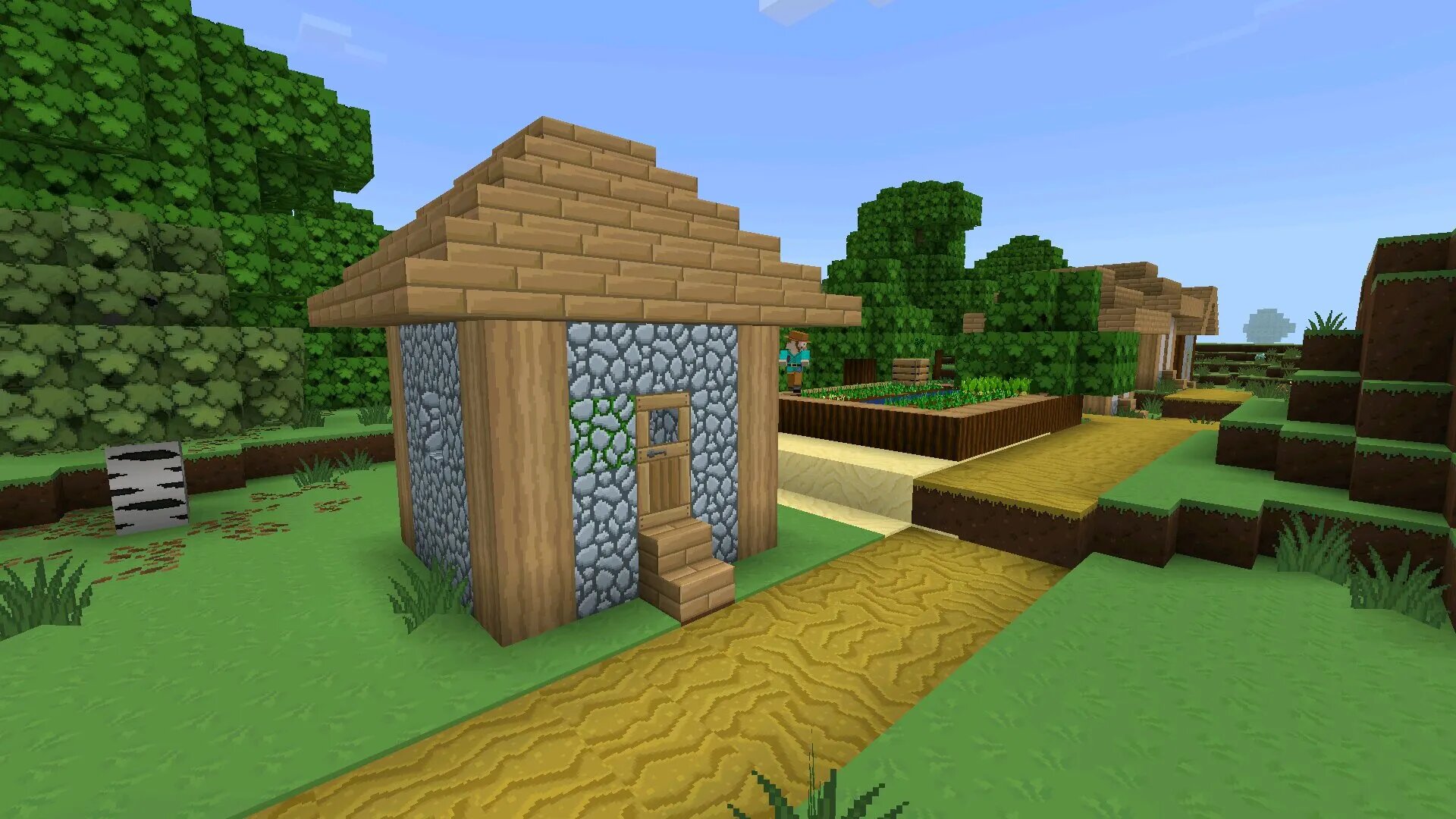
Toon Craft
Toon Craft is a cartoon-style Resource Pack that focuses on both visual clarity and enhanced detail. Players who download textures for Minecraft Pocket Edition Latest Version often choose this pack to refresh the game’s appearance while keeping it comfortable for long gameplay sessions.
Visual Style and Detail
The main feature of Toon Craft is its increased texture resolution compared to the default game. This allows more detail to be visible on each block, especially when viewed up close.
- Higher resolution textures for better clarity
- Sharpened block edges and surface details
- Smooth and balanced color palette
- Cartoon-inspired visual style
Unlike realistic Texture Packs, Toon Craft does not try to mimic real-world materials. Instead, it creates a clean and slightly stylized world that feels more vibrant and readable.
Gameplay Comfort
Players who download Resource Packs for Minecraft Bedrock will notice that Toon Craft is designed for comfortable gameplay. Colors are soft and balanced, which reduces eye strain during long sessions.
This also improves visibility when building structures or exploring complex environments.
Performance and Optimization
Despite higher resolution textures, Toon Craft is optimized for mobile devices and runs smoothly on most Android smartphones. It does not introduce heavy lighting systems or shaders.
This makes it suitable for both casual gameplay and longer sessions without performance drops.
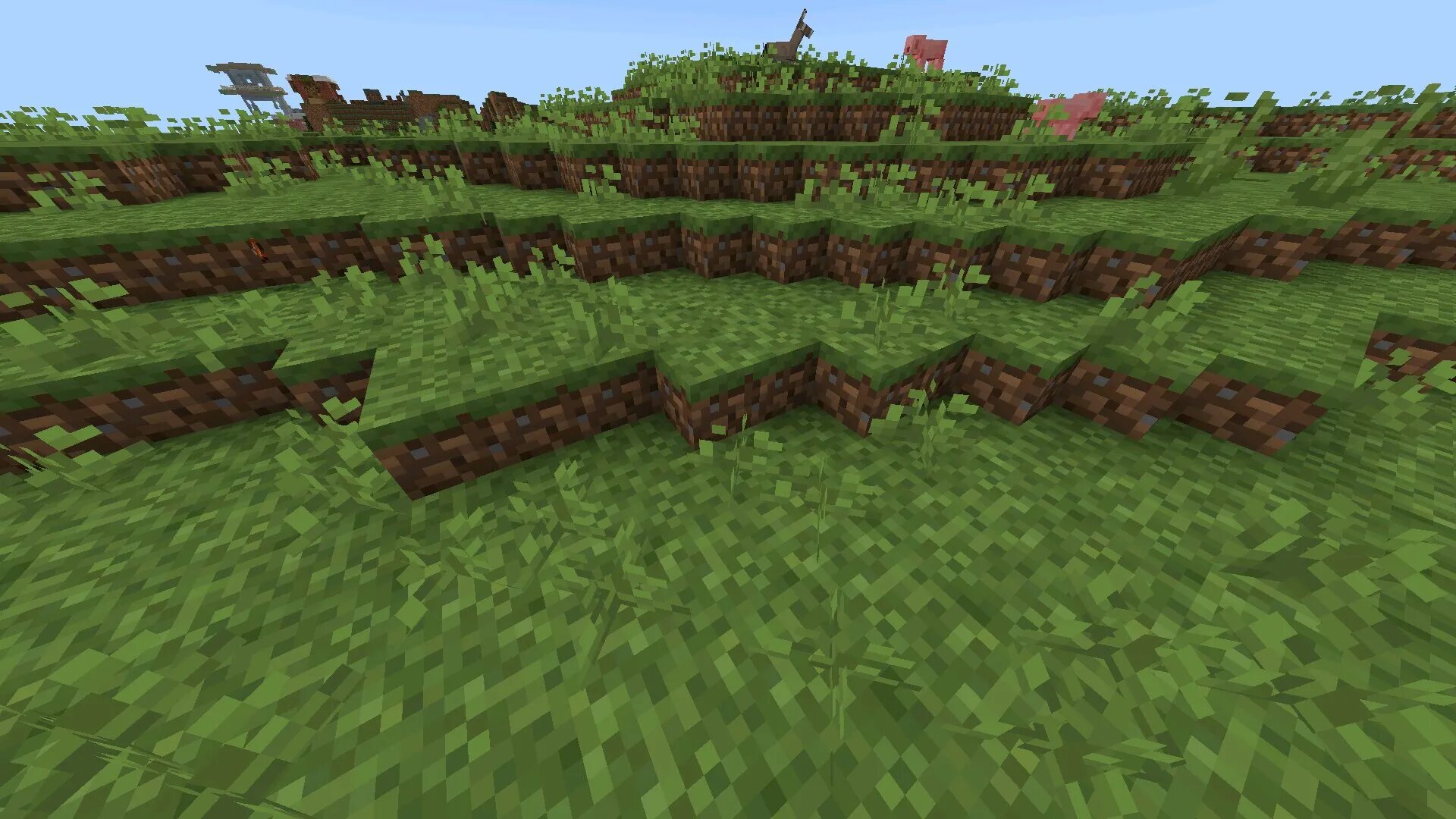
Default 8×8
Default 8×8 is a minimalist Texture Pack designed to improve performance while preserving the original Minecraft style. Players who download textures for Minecraft Pocket Edition Latest Version often use this pack to achieve smoother gameplay on weaker devices.
Minimalist Design Approach
This Resource Pack reduces all textures to 8×8 resolution while maintaining the original color palette and structure. The result is a cleaner and more readable visual experience.
- Ultra-low texture resolution
- Preserved vanilla color scheme
- Simplified block appearance
- Clear and uncluttered visuals
The simplified look helps players focus on gameplay instead of visual complexity.
Performance Benefits
Lower resolution textures reduce the load on the device, making the game more stable. This is especially important for older Android devices.
Players can expect improved FPS and faster world loading times.
Use Cases
Default 8×8 works best in scenarios where performance matters more than visual detail.
- Survival gameplay on low-end devices
- Speedrunning and fast sessions
- Multiplayer stability improvement
This pack is also compatible with most other addons and visual modifications.
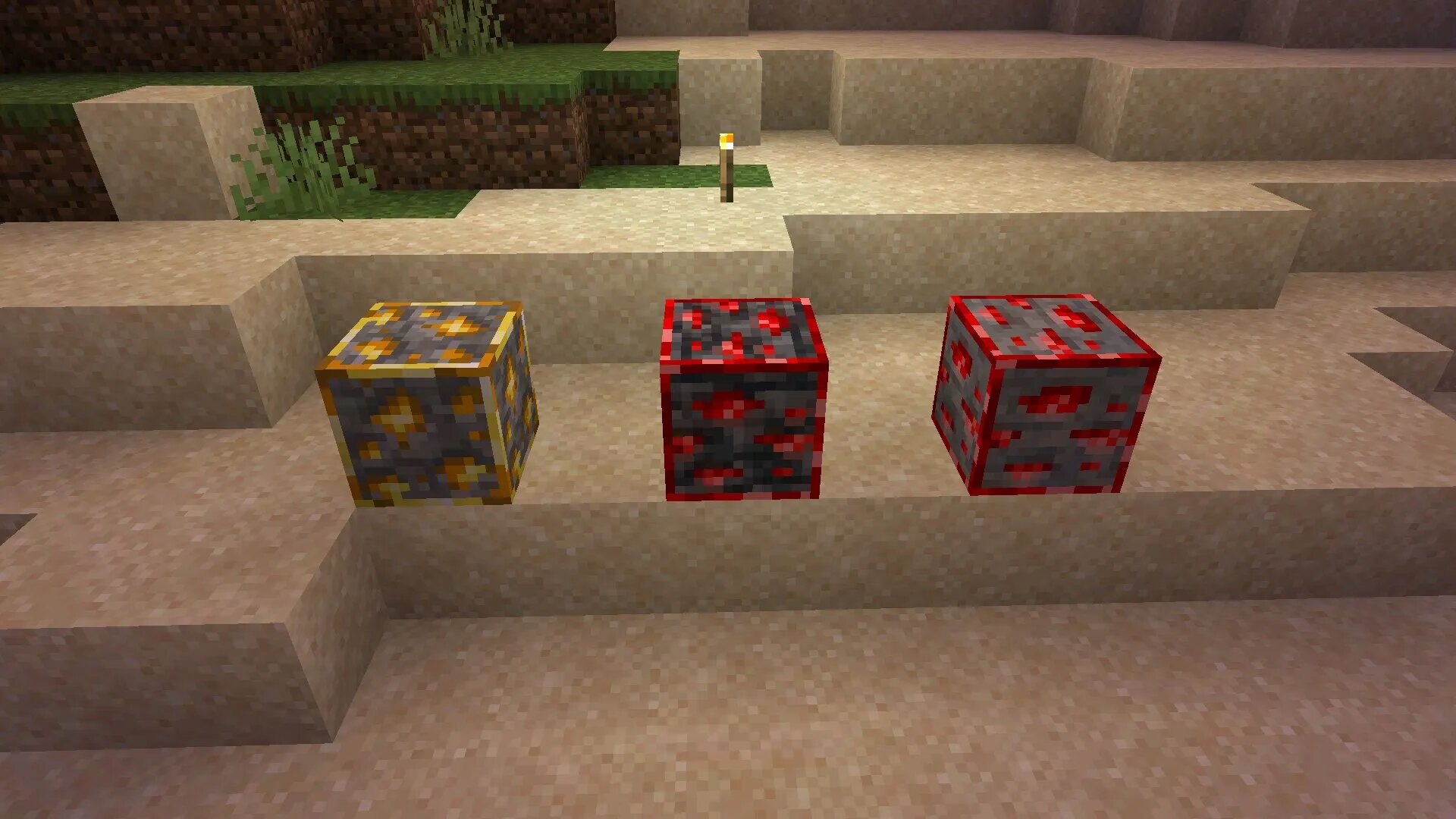
Animated Glowing Ores
Animated Glowing Ores transforms mining into a more dynamic experience by adding glowing and animated textures to resource blocks. Players who download textures for Minecraft Pocket Edition Latest Version often choose this pack for better visibility in caves.
Animated Resource System
The pack replaces static ore textures with animated versions that glow in dark environments. This makes valuable resources easier to locate.
- Glowing ore textures
- Animated visual effects
- Improved visibility underground
- Consistent design across dimensions
This significantly improves exploration efficiency during survival gameplay.
Gameplay Impact
Although purely visual, the pack changes how players interact with caves and mining routes. Resources become easier to spot, reducing unnecessary digging.
This leads to faster progression and more engaging exploration..
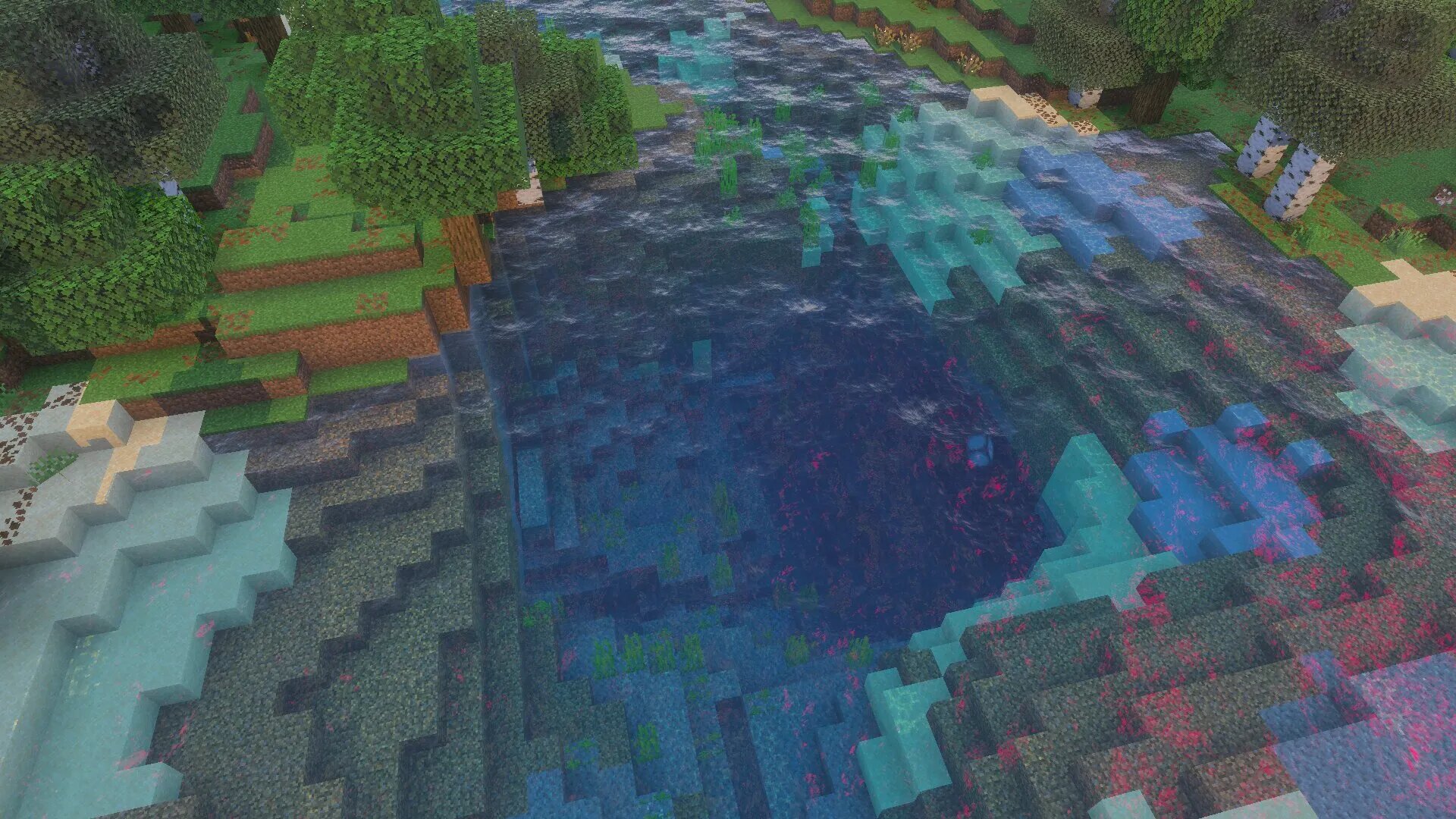
Clear Water
Clear Water is a visual enhancement Resource Pack that significantly improves how water looks and behaves in Minecraft Bedrock Edition. Players who download textures for Minecraft Pocket Edition Latest Version often choose this pack to increase underwater visibility and make oceans, rivers, and lakes more practical for exploration.
Water Clarity System
The main feature of this Texture Pack is increased transparency. Water becomes much clearer, allowing players to easily see terrain, mobs, and structures beneath the surface.
- Highly transparent water textures
- Improved underwater visibility
- Clear view of mobs and resources
- Enhanced aquatic exploration
This makes it easier to navigate oceans, locate ruins, and avoid underwater dangers.
Visual Realism
In addition to clarity, the pack enhances realism by improving light interaction with water. Reflections and subtle wave effects create a more natural look without heavy graphical load.
The result is a balanced combination of realism and performance suitable for mobile devices.
Gameplay Advantages
Clear Water provides practical benefits beyond visuals. Players can react faster to threats and plan their movements more effectively.
- Detect underwater mobs earlier
- Find resources without extensive searching
- Navigate large water areas efficiently
This makes survival gameplay more predictable and less risky.
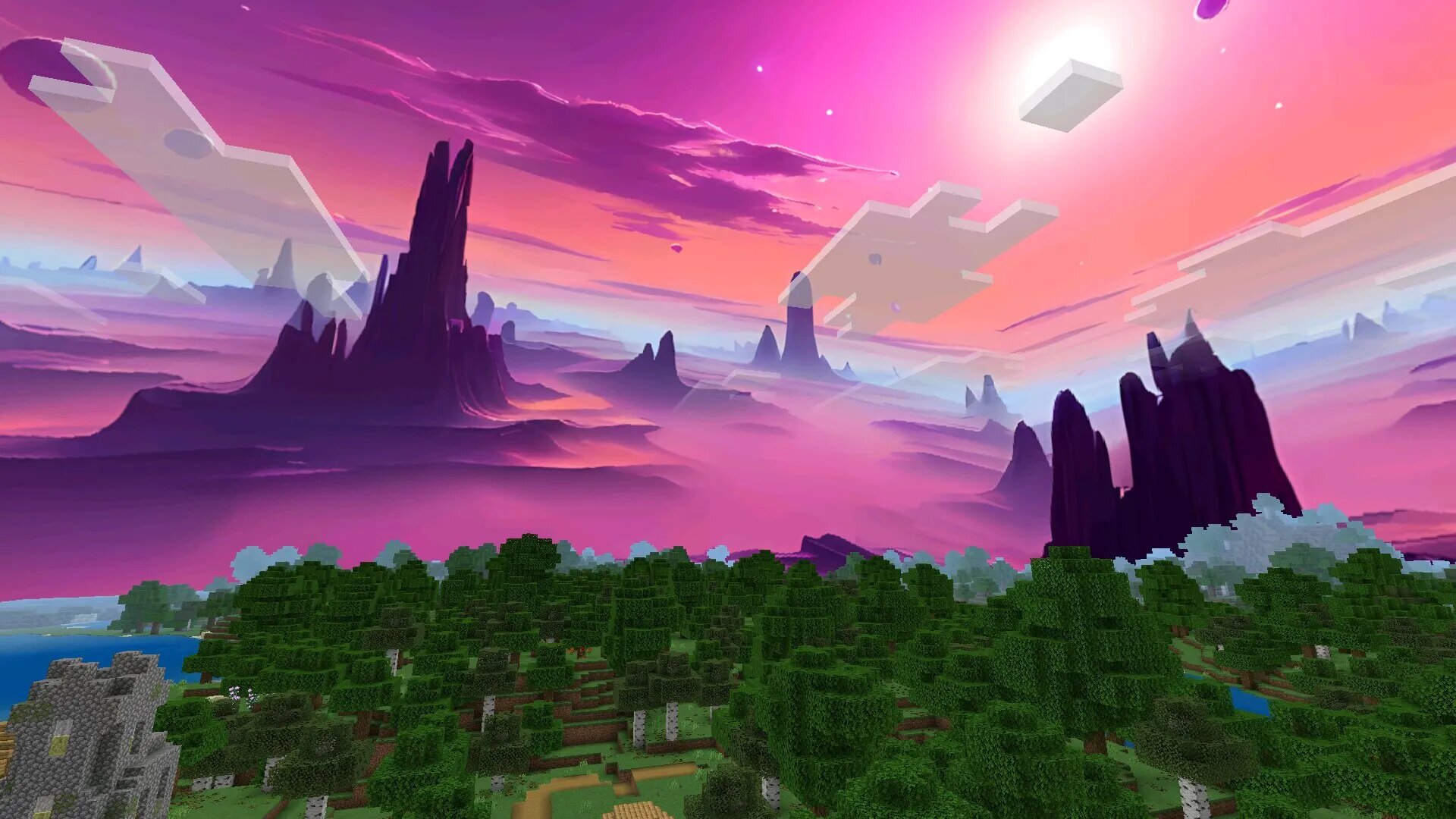
Reimagined Sky Cubemaps
Reimagined Sky Cubemaps is a Resource Pack that completely changes how the sky looks in Minecraft. Players who download textures for Minecraft Pocket Edition Latest Version use this pack to alter the atmosphere of the game without modifying blocks or mechanics.
Custom Sky System
The pack includes multiple skybox options that can be selected before entering a world. Each option provides a different visual mood.
- Multiple sky variants
- Dynamic skybox rendering
- Easy selection through settings
- Consistent in-game visuals
This allows players to personalize the environment according to their preferences.
Atmospheric Impact
The sky strongly influences how the world feels. Changing it can make the same environment look completely different.
Bright skies create a calm experience, while darker or fantasy skies add tension and depth.
Performance and Compatibility
Despite visual improvements, this pack is optimized for Android devices. It does not require experimental features or additional settings.
It can also be combined with other Texture Packs for a more customized experience.
Combining Texture Packs
Players who download textures for Minecraft Pocket Edition Latest Version often combine multiple packs to create a unique visual setup. This allows mixing performance improvements with visual upgrades.
Customization Options
Different packs can be layered to achieve specific results, depending on player preferences.
- Combine Clear Water with sky packs for realism
- Use 8×8 packs for performance optimization
- Add glowing ores for better mining visibility
- Mix styles for creative builds
This flexibility allows players to tailor the game to their exact needs.
Compatibility Tips
To avoid conflicts, players should activate packs in the correct order and test combinations before starting long sessions.
Proper configuration ensures stable performance and consistent visuals.
Installation Guide
Installing Texture Packs is simple and requires only a few steps. Players who download textures for Minecraft Pocket Edition Latest Version can quickly apply changes to their game.
- Download the .mcpack file
- Open it on your Android device
- Allow Minecraft to import the pack
- Activate it in world settings
This process takes only a few seconds and does not require additional tools.
Benefits of Texture Packs
Texture Packs improve the visual quality of Minecraft without affecting gameplay mechanics. They allow players to refresh the game while keeping familiar systems intact.
- Improved visual clarity
- Enhanced immersion
- Better performance on low-end devices
- Customizable visual style
These benefits make Texture Packs one of the easiest ways to upgrade the Minecraft experience.
Conclusion
Download Textures for Minecraft Pocket Edition Latest Version to transform the visual experience of the game while maintaining its core mechanics. From minimalist performance packs to animated and realistic enhancements, each option provides a unique way to customize gameplay.
Whether the goal is smoother performance, improved visibility, or a more atmospheric world, Texture Packs offer flexible solutions for every type of player. Combining different packs allows even deeper customization, making each session feel fresh and visually distinct.
FAQ
How to install Texture Packs in Minecraft Bedrock?
Download the Resource Pack file and open it on your Android device. Minecraft will automatically import it into the game.
After that, activate the pack in the world settings before launching the game.
Do Texture Packs affect gameplay mechanics?
No, Texture Packs only change visuals. They do not modify game physics, mechanics, or survival balance.
This makes them safe to use without affecting progression.
Are Texture Packs safe?
Yes, if downloaded from trusted sources. Reliable files ensure compatibility and reduce the risk of errors.
Always avoid unknown websites when installing Resource Packs.
Can multiple Texture Packs be used together?
Yes, Minecraft Bedrock allows combining several packs at once. The order of activation determines which textures are applied.
Testing combinations helps achieve the best results.
Do Texture Packs reduce performance?
Lightweight packs improve performance, while high-resolution ones may require stronger devices.
Choosing the right pack depends on device capabilities.
What file format is used for Texture Packs?
Texture Packs are usually distributed as .mcpack files. These files contain all necessary visual data.
Opening the file automatically installs the pack into Minecraft.
Do Texture Packs work in multiplayer?
Yes, Texture Packs work in both single-player and multiplayer modes.
Some servers may require specific packs to be used.
Can Texture Packs be removed?
Yes, players can disable or remove packs at any time through the settings menu.
This allows switching between different visual styles easily.
Do Texture Packs require updates?
Some packs need updates to stay compatible with new Minecraft versions.
Using outdated packs may cause visual issues or missing textures.
Why should players use Texture Packs?
Texture Packs improve visuals, enhance immersion, and allow customization without changing gameplay.
They provide a simple way to refresh the Minecraft experience on mobile devices.